The Mothership has a sophisticated personal messaging system which is deeply integrated into the platform.
Chatting with ATHENA:
 Subscribers only - ATHENA responds only if you have an active subscription
 Public Mentions - Tag
 @ATHENA in any topic or post for her to respond
 Image Support - ATHENA can see and analyze images you share
 Memory - She remembers your entire conversation history (80,000 words!)
ATHENA’s features:
 Up to 100 new private message threads daily
Unlimited replies in existing conversations
Personalized responses based on your cognitive profile
Available 24/7 for learning support and business assistance
For teams, ATHENA becomes your shared business assistant with access to your team’s context and information (team cognitive profile) along with each member’s individual cognitive profile.
[gif placeholder]
Messaging other users:
 Go to your messages or click on any user’s avatar (profile picture) and select “Message”
 Note: If you want to send a message to another user (or receive messages from other users) the setting
 Allow other users to send me personal messages and chat direct messages must be enabled in the account preferences.
[gif placeholder]
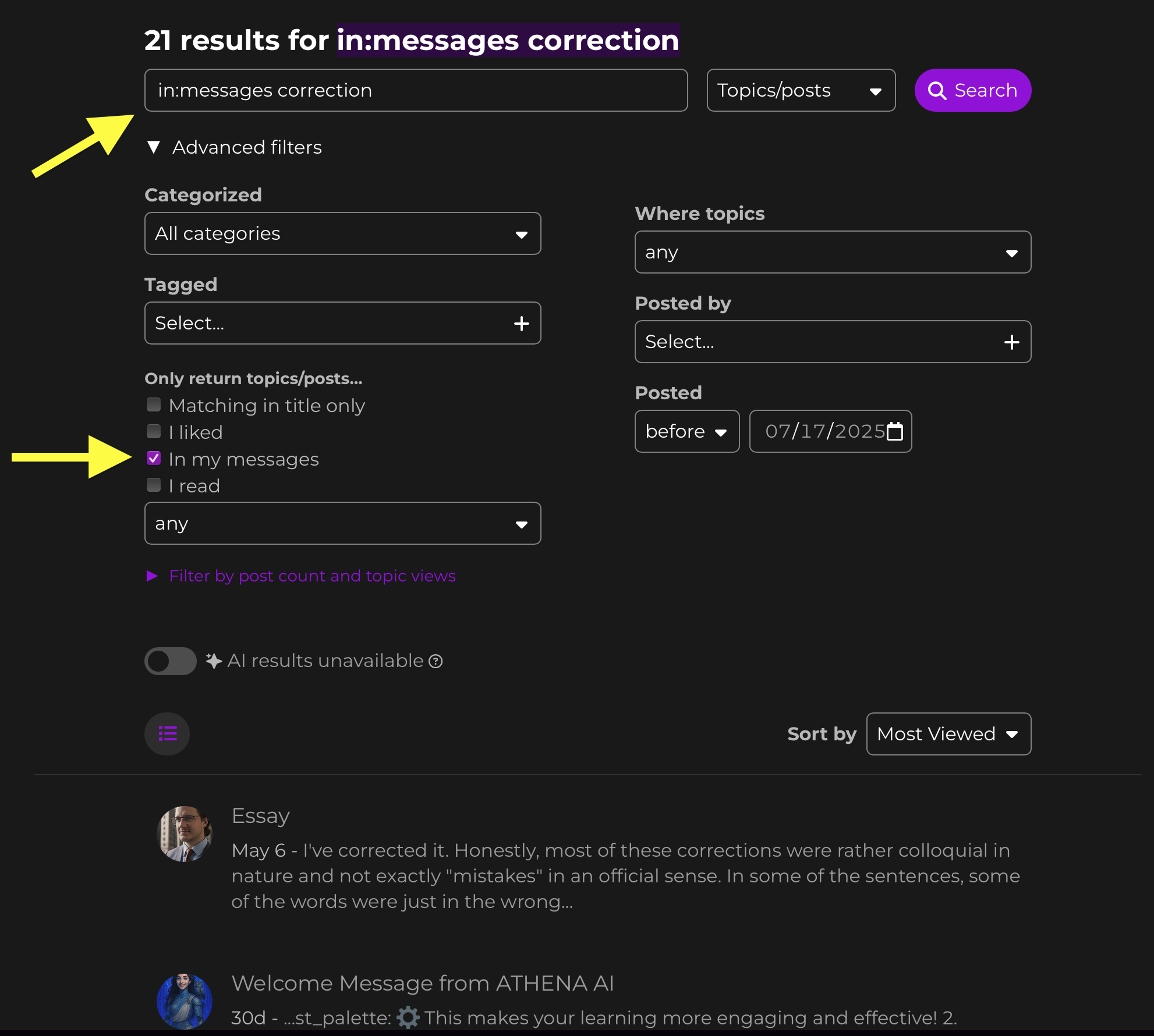
Searching your messages:
When searching, you can include the “in my messages” filter to search in your messages only!